If an approval process is configured for new accounts, requests are forwarded to one or more approvers for review. If the reviewer approves the request, the account is created.
A step-by-step example of the approval process is provided below.
| Step | Action | Result |
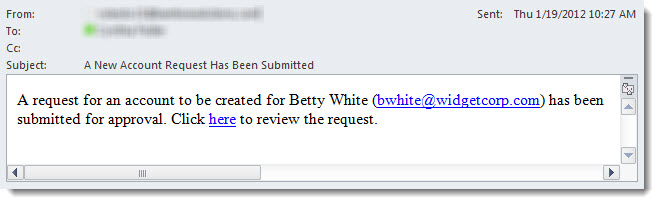
| 1. | After the account request is submitted, all approvers configured in the Account Approval settings receive an email with a link to approve the request. |
|
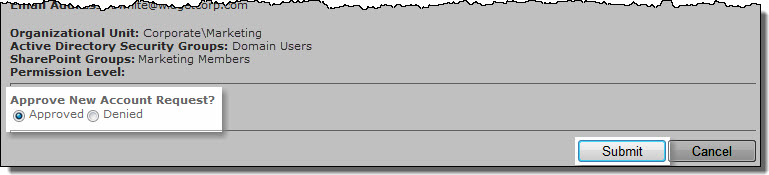
| 2. | Make a selection to approve or deny the new account. | 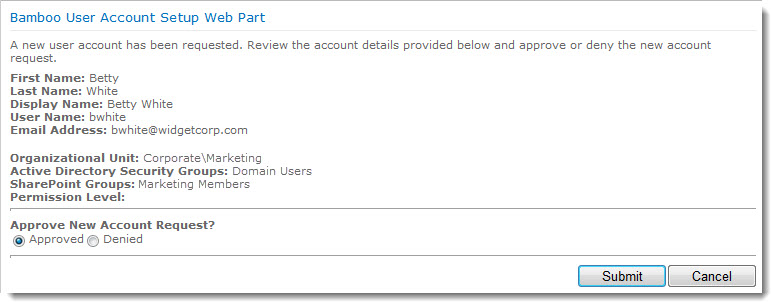 |
| 3. | Click the Submit button. |
|
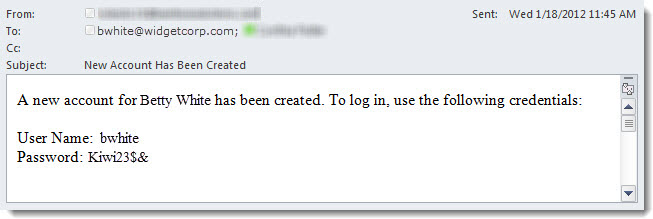
| 4. | If a request is approved, the account is created. A verification email is sent to the new account. |
|