| How_to_Use_Grants_Management_Project_Site |
|---|
Create new task items related to your grant directly from the grant project site home.
Tasks are displayed according to whom they are assigned.
| Step | Action | Result |
| 1. | Click Add new item. | |
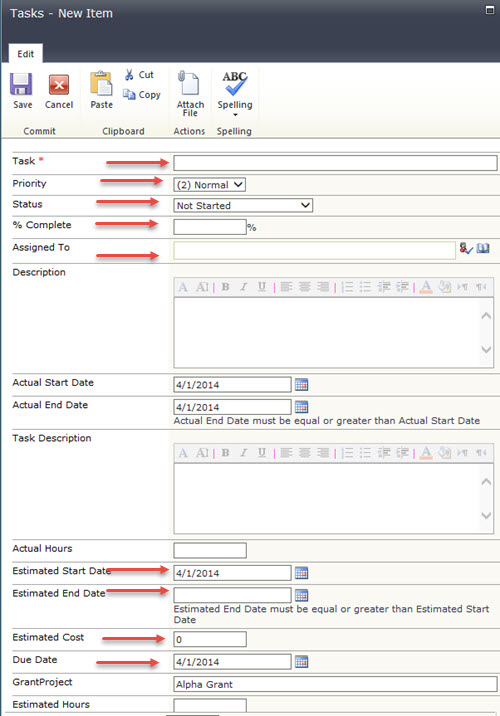
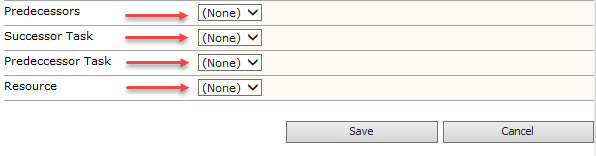
| 2. | Enter in the task information. |
At a minimum, enter information for the following fields:
|
| 3. | Click Save. | |