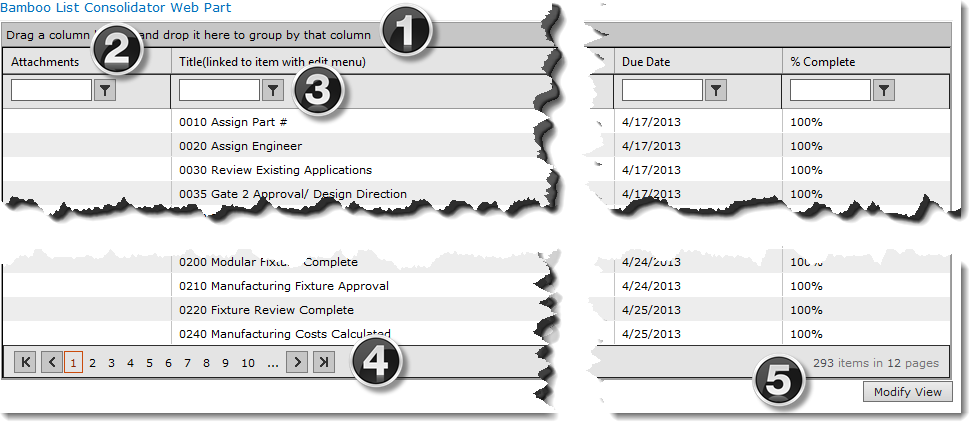
The List Consolidator Web Part display can be set to show consolidated data by default, as shown below.
| Area | Description |
|---|---|
| 1. | Group the Data. Drag and drop column headers to/from this bar to change the grouping and subgrouping of the consolidated data. |
| 2. | Sort the Data. Click the header of a column to sort the list by that column. Clicking the same column a second time reverses the sort order. |
| 3. | Filter the Data. Enter a value to filter by, then click the Filter Icon to select a comparison operator such as Equal To, Not Equal to, Contains, etc. |
| 4. | Navigate. Use the icons to navigate between the pages of the display. |
| 5. |
Click Modify View to return to the settings page in order to configure or re-configure the data retrieved and displayed.
|