| Return to Configuration Overview |
|---|
You can configure the text for the Work Breakdown Structure (WBS) numbering in the Task Master tool pane. To format a WBS level:
| Step | Action | Result |
| 1. | In the tool pane under WBS Level Format Settings, choose the WBS level in the WBS Level drop-down list. | 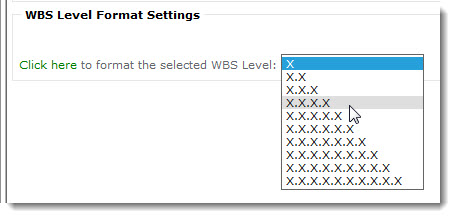 |
| 2. | Select Click here to format the selected WBS Level. |
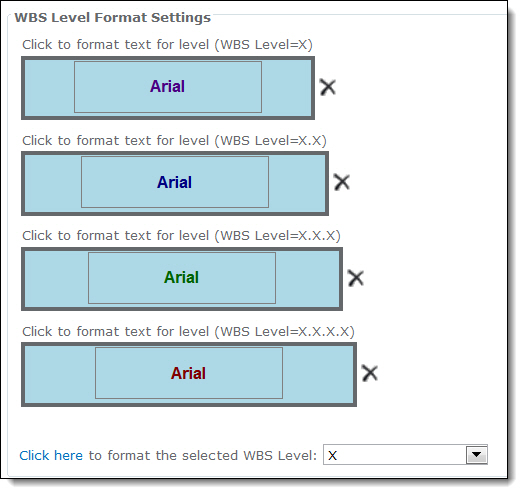
After you select a WBS level and click on the green hyperlink, a blue formatting box is added to the WBS Level Format Settings section.
|
| 3. | A dialog box allows you to choose format the font, font color (i.e. Foreground > Pick), font size and font style. | 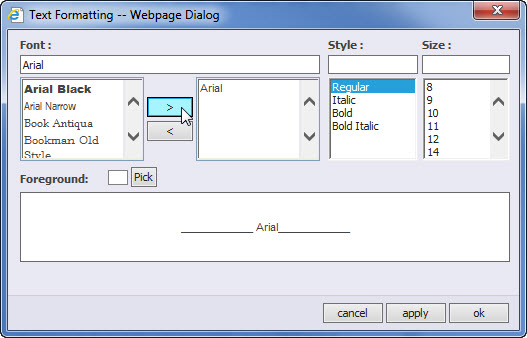 |
| 4. | After you finish formatting the text for each level, click Apply and then click OK. |
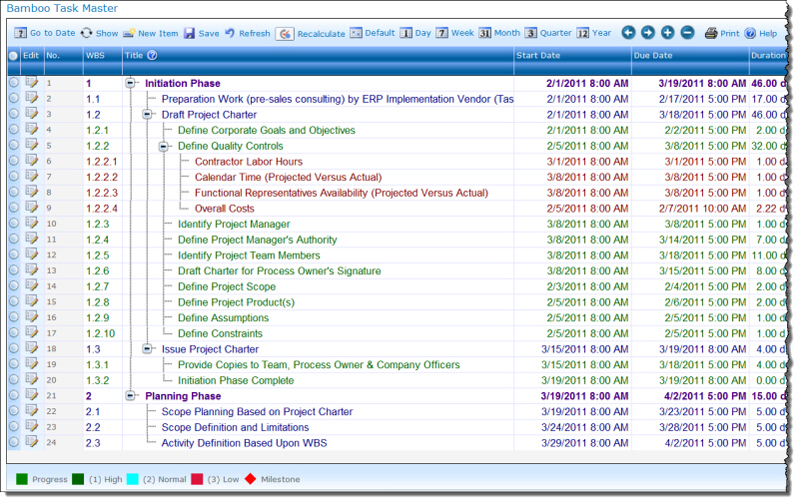
This is an example of how each level is formatted differently:
|
 ImportantThe level you pick in the drop down box will be matched in the blue selector box that appears above it. In our screen shot above, we picked X.X.X.X.X and that is the formatting option that appears in the blue box above it.