| TTM Configuration Overview | Time Tracking Checklist |
|---|
Timesheet Managers who are added to the Bulk Approvers group will be able quikcly approve all items displayed in the Pending My Approval display screen with just a couple of clicks.
Keep in mind:
- You can only approve items that are visible in the display page.
- If a timesheet spans another page in the Pending My Approval Web Part the timesheet will not be approved until all timesheet items have received an approval.
- Click here for information on modifying the number of items displayed on the page
- You can only bulk approve / reject timesheets from the same timesheet period
Using the Bulk Approvers group:
| Add Users to the Bulk Approvers group | |
| 1. |
Click the link in the Time Tracking configuration checklist,
|
| 2. |
|
| How do Timesheet Managers bulk approve / reject timesheets? | |
| 1. | 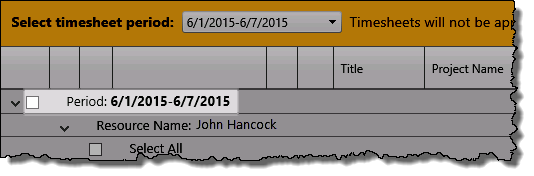 Timesheet Managers who are added to this group will see a check box associated with the Period in the Pending My Approval display Timesheet Managers who are added to this group will see a check box associated with the Period in the Pending My Approval display |
| 2. |
|
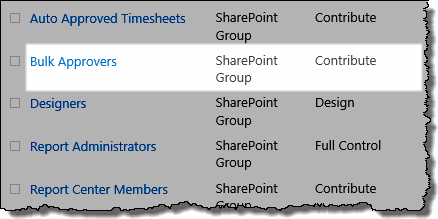 Add the appropriate users to the Bulk Approvers group
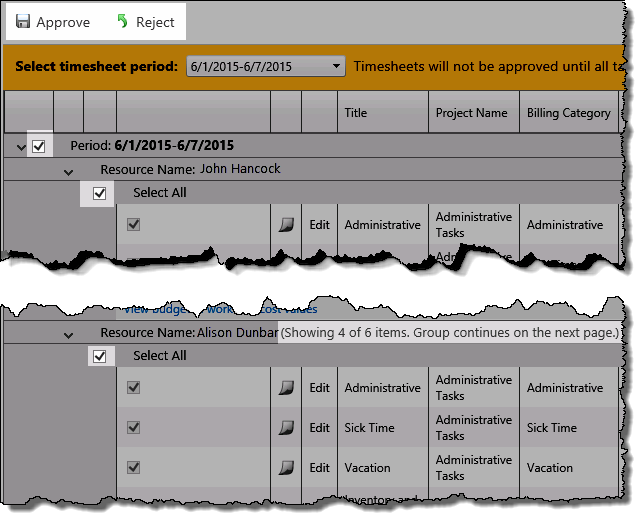 When this box is checked, all items associated displayed on the time will be checked for bulk approval or rejection.
 IMPORTANT: If a timesheet continues on the next page then:
| TTM Configuration Overview | Time Tracking Checklist |
|---|