| Configuring Grants Management |
|---|
| Step | Action | Result |
| 1. | Navigate to the home page of your project site. | |
| 2. | Use the ribbon to edit the page. | 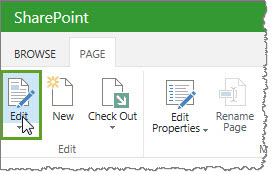 |
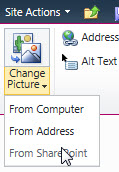
| 3. | Highlight the image on your page and click the Change Picture icon in the ribbon. Select the source where your picture is stored. |
|
| 4. | Enter alternative text, if desired, in the Alternative Text field. Set the image style, position and size if you want to change them. | 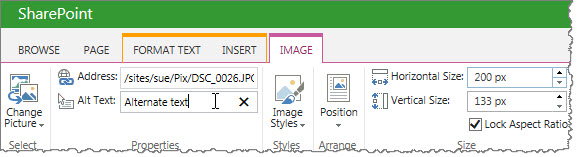 |
| 5. | Click Apply and then OK to save your changes. | The new logo displays on your site now. |