| Overview of the List Rollup Web Parts |
|---|
IMPORTANT: It is not possible to change the Aggregation Service of a List Rollup Schema after it has been saved for the first time.
| Step | Action |
|---|---|
| 1. |
The Schema Configuration page will be displayed. |
| 2. |
If needed, add another list to the Included Lists area.
|
| 3. | Easily add or remove columns by clicking Select Column. |
| 4. | Modify the filter by clicking Define a Filter. |
| 5. | Modify the repeating items settings, if aggregating events, by clicking Define Recurrence. |
| 6. | Modify or add to the list of excluded lists by clicking Excluded Lists. |
| 7. |
Modify the name or description of the schema by clicking Schema Settings.
|
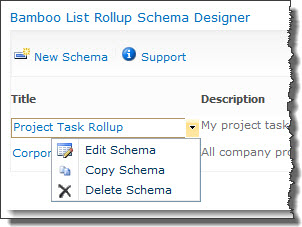 To edit an existing schema, click on the schema name in the Title column or choose Edit Schema from the item edit menu.
| Overview of the List Rollup Web Parts |
|---|