| Overview of Portfolio PMC Control Panel |
|---|
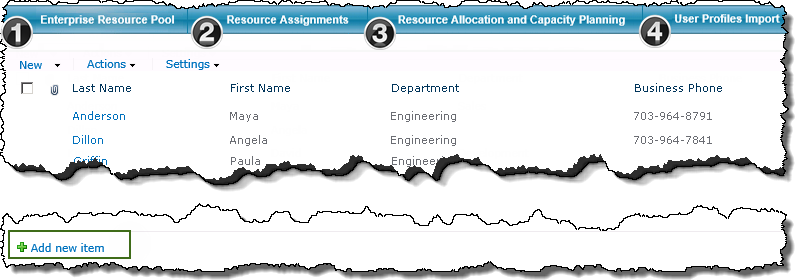
The Resource Management link in the portfolio’s PM Central Control Panel, provides access to the Resource Center which consists of 4 separate subsections.
| Function | |
|---|---|
| 1. |
The contents of the portfolio’s Enterprise Resource Pool (ERP) list are displayed on the landing page of the portfolio Resource Center. When working with the ERP keep in mind:
To add users to the ERP:
|
| 2. |
Under the Resource Assignments tab you will find a Gantt display of all tasks for all projects sorted by resource. |
| 3. |
The Resource Allocation and Capacity Planning tab provides access to a number of reports detailing resource capacity, allocation by resource, project, resource availability and others. |
| 4. | User Profile Imports provides a tool to import resource information into the Enterprise Resource Pool from the SharePoint User Profile Database. |