| Overview of PM Central Hierarchy | Overview of the Project Site |
|---|
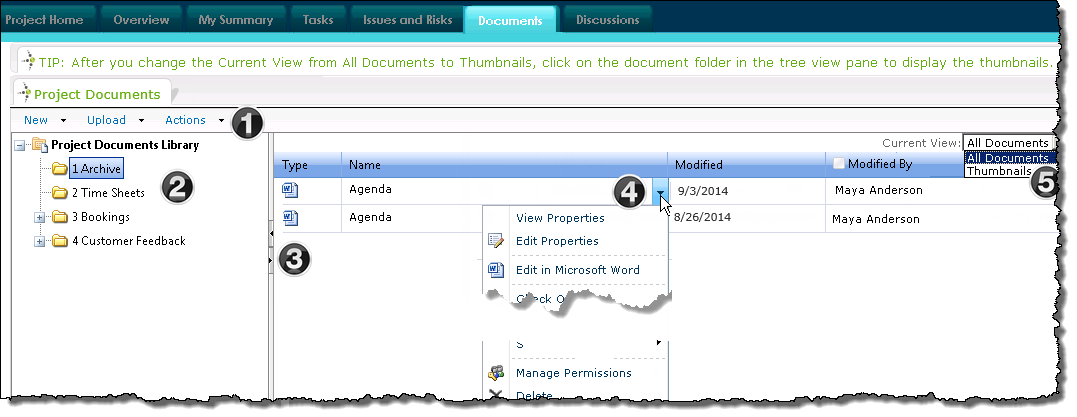
The Documents tab provides a hierarchical view of the project site’s Project Documents Library.
| Function | |
|---|---|
| 1. | The standard SharePoint Document Library toolbar lets users:
|
| 2. | The tree pane view on the left hand side displays the structure of the document library.
|
| 3. | Move the vertical scrolling bar to the left or right to display more of the tree pane view or the document display. |
| 4. | 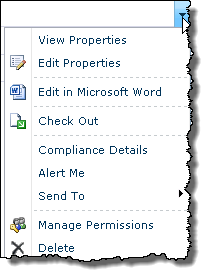 Click the document drop down arrow to access the standard SharePoint document library menu items. Click the document drop down arrow to access the standard SharePoint document library menu items. |
| 5. | To change the view, click the Current View drop-down box and select either All Documents or Thumbnails.
|
 To add a document to a specific folder, click the folder before you select Create or Upload.