| TTM Configuration Overview |
|---|
The Time Tracking and Management (TTM) Configuration Checklists provide administrators with instructions on how to prepare the site for use.
When working with the Timesheet Configuration Checklists keep in mind:
-
There are two checklists associated with TTM:
 The Time Tracking Checklist which needs to be completed for all configurations
 the Cost Tracking Checklist which will only be completed if you are tracking task/project costs in TTM
-
You will need Full Control permission on the TTM site to complete some of the items in the Time Tracking checklist.
NOTE: Additional steps and the “Mark as Complete” button were added in TTM 2.0
| # | Function |
|---|---|
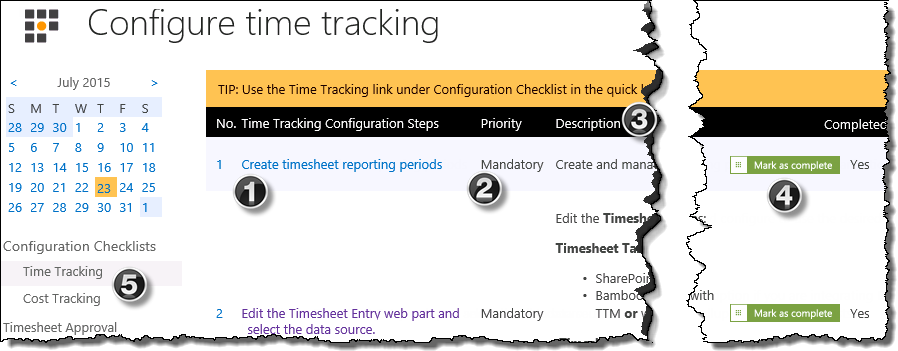
| 1. | Configuration Steps: Use the link to access the page where the configuration needs to be implemented |
| 2. |
Priority:
|
| 3. | Description: The description provides basic information about the individual configuration step that is required. Click the “more information” link associated with the item to access the topic in the documentation. |
| 4. |  Completed: Completed:Click the button to change the Completed status from No to Yes. |
| 5. |
|

 IMPORTANT:
 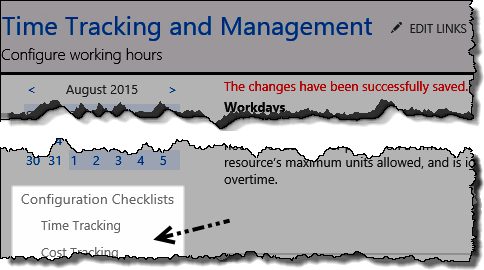 Checklist links:
 | TTM Configuration Overview |
|---|