| User Guide Infographic | Overview of Data-Viewer display |
|---|

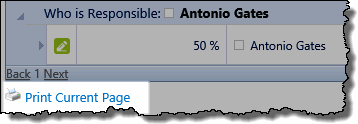
Data-Viewer lets you easily print the current data display. Keep in mind:
-
Only the data displayed on the current page will be printed
-
The Print page link is typically found in the bottom left corner, but this may change with some of the available skins

To print displayed data
NOTE: This feature require your administrator to have selected Print current page as an Interactive option on the General Settings page of the Data-Viewer configuration screen.
| Action | Result |
|---|---|
| Click the Print Current Page link.
|
|
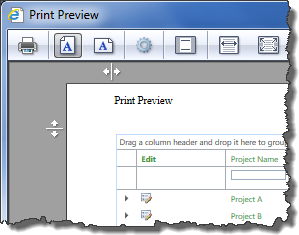 A separate browser page will be displayed and then a print preview window.
  ) icon to initiate the print.
| User Guide Infographic | Overview of Data-Viewer display |
|---|